Apple laptops and computers are famous for their reliability, and macOS is famous for its low number of crashes and glitches. However, any technique is imperfect and sometimes “capricious.” Last time we told you everything you need to know about batteries in a MacBook, and now we’ll outline an action plan if the Apple computer stops turning on.
If, after pressing the Power button, you see a folder icon on the screen with a question mark inside, then there are several options for explaining the problem and solving it. Let’s start with the simplest.
Bootloader failure
This is a fairly rare glitch, but it can still occur sometimes. Most often, this is encountered by users who have previously manipulated macOS (reinstalled, rolled back, combined with Windows or the second version of macOS, restored from Time Machine) or with internal storage (divided, glued volumes or partitions, formatted part of the disk, etc. .).
If the problem is really in the boot partition, then turning on the Mac will not be difficult:
- Press and hold the Power button until the screen goes dark
- Count down 5-10 seconds
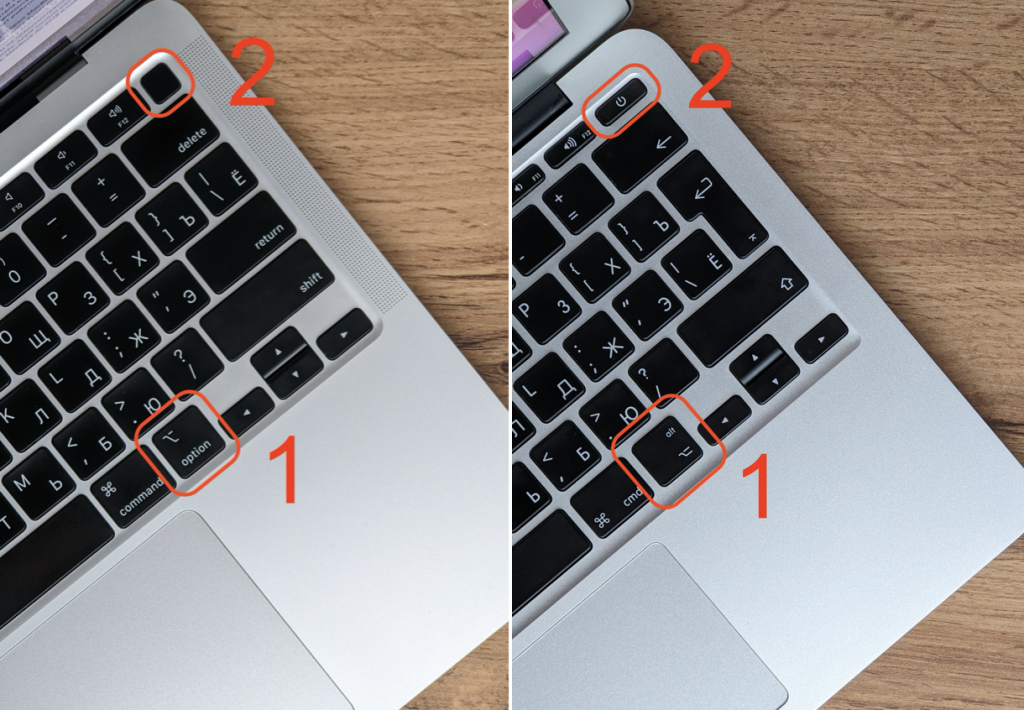
- Hold down the alt ( option ) button and briefly press Power while continuing to hold alt / option
- When the hard drive or macOS icon appears on the screen, release alt / option and press Enter.
If the system boots normally, then the glitch is software. You can reinstall macOS without losing data using this method and the boot partition will be “cured.” However, if after a while the problem appears again, or even several times, then there is a risk that the problem is not in the system at all.
Drive failure
It’s not just batteries that are subject to wear and tear – hard drives also fail over time, no matter whether it’s an HDD or an SSD. How to understand that the problem is in the hardware? Here are some signs:
- Mac often refuses to turn on, showing a folder with a question on a gray background
- Mac sometimes restarts while running and displays an emergency reboot message due to a system error
- The Mac freezes tightly, spinning the rainbow wheel, in normal tasks for no apparent reason and has to be rebooted
- Mac throws an error when you try to move or copy files between a flash drive and internal storage, or when moving them within the system.
What if all this is about your Mac? Depending on the computer model, the difficulty of replacing the drive may vary. In any case, we recommend that you first consult with a good technician who has experience working with Mac.
There are special applications that determine the “health” of the disk – if, of course, the computer can still start and work. The most famous is DriveDx. Find it on the Internet. macOS also has a built-in SMART disk check, and you can try using it first:
- Open Disk Utility
- Click the desired drive
- Click the information button in the toolbar at the top.
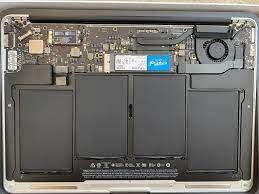
Photo: Apple Insider
Most often, the drive fails on older Macs from model years 2006-2012. In such devices, it will be quite easy to change the disk. Since 2010, MacBooks have been equipped with SSDs with a proprietary connector, but there is no need to look for an original drive – you can use an adapter from AliExpress and install a standard M.2 PCIe 2280 SSD.
A similar “sore” with rapid SSD wear was present in the MacBook 12 2015- 2016 model year – SSD replacement is not provided there since the drive is soldered on the board. By the way, Apple has started soldering SSDs on all MacBook Pro 2016 and newer, MacBook Air 2018 and newer, as well as on all Macs with a Silicon chip.